101 Pics
101 Pics
4.8

Advertisement

Category
Developer
Unknown
Platform
Unknown
Version
Unknown
Updated
Unknown
Security
Scan Passed

Advertisement

Introduction to - 101 Pics

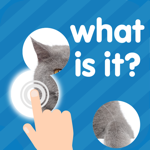
The aim of the game is to guess what's on the picture. While using the least number of clicks. Each click opens up a portion of the photo. The earlier the answer becomes clear, the larger the bonus will be. Thanks to this game you'll easily increase your vocabulary, guessing skills and attentiveness. The game 101 Pictures is fun, captivating and totally free.It's a new quiz in the casual puzzle genre. HOW TO PLAY• Words are collected in themed packs. Inside each word pack there is defined theme.• Use 4 free and 4 paid clicks to open the picture to the necessary point. • As soon as it becomes clear what's on the photo, type the answer and get bonus coins. • Having finished one pack, move on to another! FOR THE ENTIRE FAMILYIt is very interesting to play this game along with friends or family, amaze them with your knowledge, pass the packs together!CHIPS• Find out new words, playing themed word sets.• Find out the exact names of familiar objects.• Develop your mind and vocabulary• Play with friends and compete with one another• Visually pleasing, simple graphics• Ratings and achievements• There are many themed collections• Simple and easy• Daily bonus• Free hints at the beginning• Excellent training for the brain• For phones and tabletsEASY AND FUN TO PLAYA simple and intuitive interface with unobtrusive graphics allows you to fully concentrate on game play.MANY LEVELSThe game has collected many unique levels, compiled on the level of difficulty. Themed packs are constantly being added to make the game more diverse! Guess the pictures by theme:• animals• sports• flags• food• capital cities• drawings• kitchen• plants• beauty• clothes• nature• and othersIN MANY LANGUAGESThe following languages are fully supported:• English• German• French• Russian• Portuguese• Spanish• ItalianNO INTERNET NEEDEDNo wi-fi, no problem! The game can function without the Internet, which makes it an excellent timekiller on the road. However, the Internet is necessary to download packs and sync your progress.NO TIME LIMITSYou can play calmly, and at any time, close or minimize applications and continue from where you left off without losing the progress level.We're on social media:https://www.facebook.com/101picshttps://vk.com/game101picsGuess the various pictures for your pleasure :)Good luck in the game!
Read more

Screenshots

Download

Verified antivirus Just Updated
Choose a platform

Advertisement

App Information

System compatibility

The application is available on multiple platforms and is designed to function across a range of devices.

  • Supported operating systems: Android / iOS
  • Installation size may vary by version
  • Performance may depend on device specifications
Permissions and data access

The app may request access to storage or notifications depending on your device. Each permission is optional and only used to support core features.

Latest updates

Release notes usually include stability improvements, bug fixes, and compatibility changes for newer Android and iOS versions.

FAQ
How do I install this app after downloading it?

Open the downloaded file on your device and follow the system prompts. Make sure installation from your selected source is allowed if your device asks for confirmation.

Is this app safe to use?

The application is available on multiple platforms and is designed to function across a range of devices.

  • Supported operating systems: Android / iOS
  • Installation size may vary by version
  • Performance may depend on device specifications
Is this app free to download?

Download availability depends on the version and the store listing. Some regions may offer a free version while others may include in-app purchases.

How do I find my account back?

Use the sign-in recovery option inside the app or on the service website. Recovering with your email, phone number, or linked account is usually the fastest path.

How to use this app?

Start from the home page, sign in if needed, then follow the primary navigation to access the app's core features. Most settings and support options are available from the profile area.