
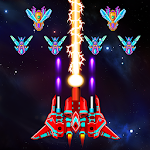
- Galaxy Attack: Alien Shooter
- 4.9
Advertisement
Advertisement
Screenshots
Download
Advertisement
App Information
System compatibility
The application is available on multiple platforms and is designed to function across a range of devices.
- Supported operating systems: Android / iOS
- Installation size may vary by version
- Performance may depend on device specifications
Permissions and data access
The app may request access to storage or notifications depending on your device. Each permission is optional and only used to support core features.
Latest updates
Release notes usually include stability improvements, bug fixes, and compatibility changes for newer Android and iOS versions.
FAQ
How do I install this app after downloading it?
Open the downloaded file on your device and follow the system prompts. Make sure installation from your selected source is allowed if your device asks for confirmation.
Is this app safe to use?
The application is available on multiple platforms and is designed to function across a range of devices.
- Supported operating systems: Android / iOS
- Installation size may vary by version
- Performance may depend on device specifications
Is this app free to download?
Download availability depends on the version and the store listing. Some regions may offer a free version while others may include in-app purchases.
How do I find my account back?
Use the sign-in recovery option inside the app or on the service website. Recovering with your email, phone number, or linked account is usually the fastest path.
How to use this app?
Start from the home page, sign in if needed, then follow the primary navigation to access the app's core features. Most settings and support options are available from the profile area.













Introduction to - Galaxy Attack: Alien Shooter
One day, mysterious alien armies from different sides appear and attack the border planets. The struggle for human survival begins. As an experienced pilot, you are called to protect the galaxy from the invaders! Combine the feel of a classic shooter with modern mechanics.
Galaxy Attack: Alien Shooter is a top-down view SHUMP game. It gives you the challenge of destroying countless enemies while dodging all obstacles and bullets.
This is a retro game that pays homage to the classic games of its kind, Galaga and Galaxian. The game controls have been changed for touch screen devices and your ship will follow your finger.
Each mission is short, but there are a lot of enemies that you need to destroy. Sometimes you must also face special challenges, such as crossing an asteroid belt or fighting a big boss with a long life bar.
Galaxy Attack: Alien Shooter is a simple but very interesting shooter with short rounds, but designed with special modes, such as multiplayer mode where you can fight side by side and endless mode where you can survive as long as possible.
The last hope of the planet is in your hands. Pilot the ship alone and defend the Earth against hordes of aliens. Your goal is extremely challenging because you have to save the universe from the hands of evil enemies. In this game, you have to fight against more and more enemies in a dangerous environment. In the course of the game, you can win the opportunity to upgrade your spaceship and thus unleash its full killing power.
Features: - A wide variety of enemies: from ordinary soldier-outsiders to powerful elites, and huge bosses. Each one has a different appearance and behavior. - Campaign mode: encounter difficulties as you meet unique challenges along the way. Constantly updated with new content. - Upgrade and develop your spacecraft to new forms and gain new powers - a wide collection of spaceships, each with unique skills and gameplay style. Choose your spaceship, destroy alien invaders and protect the galaxy. Show them what you can do! As an expanded version of Galaxy Attack: Alien Shooter, this version features better graphic design. We have also changed some things in the core game mechanics, such as weapon skills, item skills, ship parts and evolution types. With various types of spaceships, you can build a powerful air force and join the galactic war. The old style shooter is now modernized with a fantasy theme.