
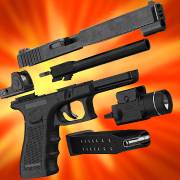
- Gun Builder 3D Simulator
- 3.2
Advertisement
Advertisement
Screenshots
Download
Advertisement
App Information
System compatibility
The application is available on multiple platforms and is designed to function across a range of devices.
- Supported operating systems: Android / iOS
- Installation size may vary by version
- Performance may depend on device specifications
Permissions and data access
The app may request access to storage or notifications depending on your device. Each permission is optional and only used to support core features.
Latest updates
Release notes usually include stability improvements, bug fixes, and compatibility changes for newer Android and iOS versions.
FAQ
How do I install this app after downloading it?
Open the downloaded file on your device and follow the system prompts. Make sure installation from your selected source is allowed if your device asks for confirmation.
Is this app safe to use?
The application is available on multiple platforms and is designed to function across a range of devices.
- Supported operating systems: Android / iOS
- Installation size may vary by version
- Performance may depend on device specifications
Is this app free to download?
Download availability depends on the version and the store listing. Some regions may offer a free version while others may include in-app purchases.
How do I find my account back?
Use the sign-in recovery option inside the app or on the service website. Recovering with your email, phone number, or linked account is usually the fastest path.
How to use this app?
Start from the home page, sign in if needed, then follow the primary navigation to access the app's core features. Most settings and support options are available from the profile area.














Introduction to - Gun Builder 3D Simulator
Do you like to experience the excitement of war games? Do you want to design cool weapons with your own hands? Download Gun Builder 3D Simulator and design your own weapons and use them with your friends in the game. Here you can run the program freely, choose your weapon model inside and add accessories to prepare for a virtual battle. Choose your target, press the trigger and
The realistic sound of firing, weapon charging and drum spinning will make others believe it's real. Of course, this is created for gaming and entertainment only. Virtual weapons cannot cause damage or harm the health of others Improve weapon design until the desired combat characteristics and effects are achieved. Share collected weapons with friends and check accuracy in virtual battles. Play and learn weapons and become a great designer. All weapons with attachments are freely unlockable.
Realistic shooting sound, realistic weapon shape, close to reality hit characteristics and effects. Come and share the collected weapons with your friends with theirs and test them in virtual battles. Learn as you play and become a great weapon designer. You can choose from pistols, assault rifles, sniper rifles and more. Equip them with optics` laser sights, silencers, hoods and more.
Now aim at the target and go to the shooting range and shoot!